
How to Recreate TikTok Trends With AI
Break down a TikTok trend into its setup, key action, and payoff, then remake the sequence from a photo and a TrendRemaker reference.
Break the trend into three moments
Start by watching the video you want to remake and writing down three short observations. What does the first shot establish? What action changes the scene? What does the last shot pay off? For Waiting on My Fries AI, that might be a worker at a counter, a gesture that redirects attention, and the coworker’s reaction. For Hotel Lobby AI, it is a pair under a microphone, a handoff between performers, and the response after that handoff.
Try describing each beat in terms of what the viewer sees. A note like “the second worker comes into view after the gesture” tells you more about timing than a general description of the clip as funny. This also helps you tell whether a close portrait, a duo, or a group reference is a better starting point. A trend can be recognizable because of a reaction, a prop, a framing choice, or a particular movement rather than its title alone.
Search the trend library for a usable reference
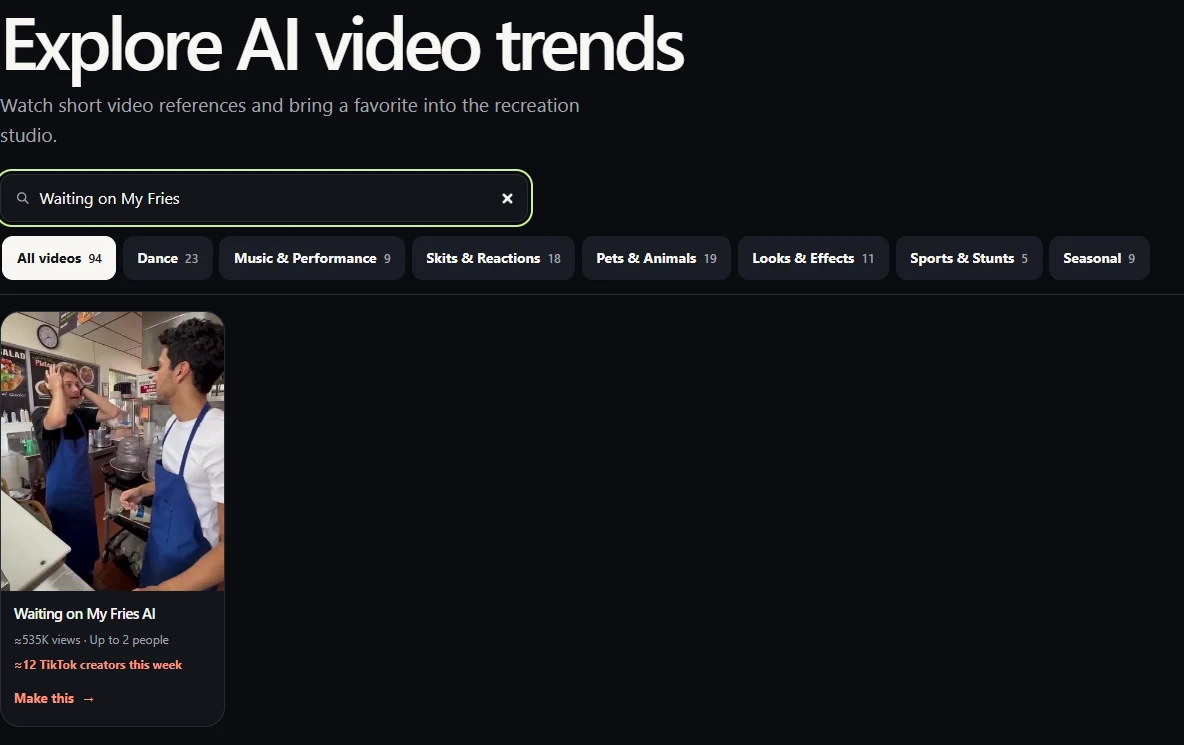
Open the TrendRemaker trend library and search the name of the video or effect. Use the cards to compare the scene before opening the template. Select Make this on Waiting on My Fries AI to jump to the detail page and its studio. If you are still deciding, you can search several names in succession and compare how the scenes put their main action in frame.
Look for the same type of timing you noted in the first step. Hotel Lobby is useful for a deliberate exchange between two performers. Waiting on My Fries puts more weight on a reaction and a cut. Sheru Bhai AI ends on a coordinated move with a lion character, so a pose or dance beat has more room to define the ending. The studio uses the motion of the template you select, so pick the scene whose movement structure is closest to what you intend to make.
Watch the selected reference without sound
Open the reference in the studio and watch once while focusing on the picture. Note when the viewer first learns where they are, when the lead starts moving, and when a second person or object becomes important. If the clip still makes sense with sound off, you have a good indication of which visual beats need attention in the remake.
Pay particular attention to the end. A short reaction can be easy to miss if it occurs at the extreme edge of the shot. A pose that is held for a moment is easier to read. If your proposed version needs dialogue to explain everything, consider an example with a clearer visual payoff or plan a caption to add after export. The original audio is stripped from the motion reference used for generation. This is worth checking before you spend time choosing a reference whose appeal depends on a specific recording.
Pick a source photo for the most important shot
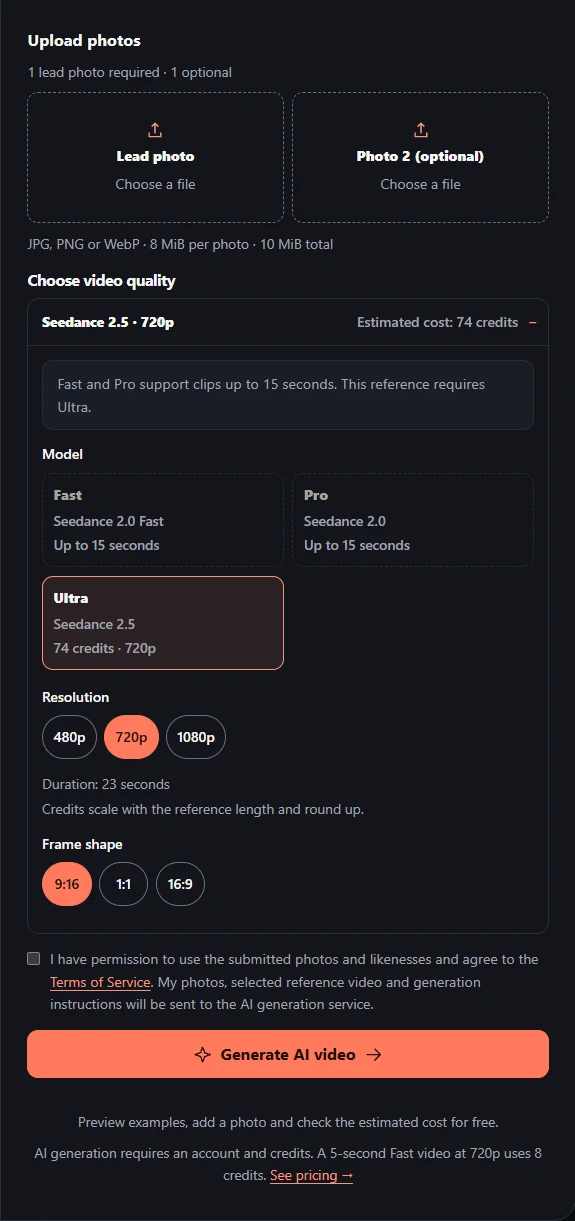
Decide which view of the lead matters most. For a counter reaction, an evenly lit photo from the chest up can make the face and outfit clear. For a dance or overhead gesture, use a wider image that leaves room around the body. When both people matter, check whether the chosen template offers a supporting photo slot and prepare a separate image for each person you intend to cast.
Use images you have permission to submit. If you want to feature a friend, ask what photo and outfit they want to use before uploading. Skip a crowded group shot when you can use a separate portrait with clear features. Confirm that the right image appears in the lead slot after upload. It helps to choose the photo after watching the reference because a source that looks good as a still portrait may tell the model very little about a hand, shoe, or jacket that must be visible during the action.
Frame the move and check the cost
Use 9:16 for a vertical short when the action stays near the center. Try 1:1 if the main gesture and response sit close together but you need a little more width. Use 16:9 when two people occupy opposite edges or a prop needs space beside the lead. The aspect ratio you choose governs the output even if the reference was filmed in a different shape.
The template sets the duration. Depending on the duration and quality you choose, the studio may offer a different set of models and resolutions. Read the estimated credits after making these changes. Then confirm your permission to use the photo and select Generate AI video. The studio shows the next step if your account needs sign-in or credits. For the first attempt, favor a clear frame where the payoff is easy to see. That gives you a baseline you can compare with future versions of the same trend.
Keep the scene readable through the cut
When the result is ready in My Videos, watch the entire clip at normal speed before stopping on individual frames. Check whether the first shot tells you who the lead is. At the main gesture, see whether the viewer’s attention has a clear place to go next. At the end, check whether the reaction or reveal stays on screen long enough to register.
For Waiting on My Fries, watch the second worker instead of staring at the lead for the entire clip. For Hotel Lobby, follow the turn from one person to the other at the microphone. For Sheru Bhai, look at the final shared move rather than the terrace alone. Pause at the exact moment you expected the payoff if it feels rushed. This gives you a concrete detail to fix, such as choosing a wider frame so the second person remains visible during their reaction.
Revise the part that matters most
If the entrance looks right but the ending is confusing, decide whether the problem is one of framing, photo choice, or reference selection. A second person who drops out of view suggests a framing change. A lead outfit that looks different suggests a clearer photo. A sequence that ends on the wrong kind of action may be better served by another template.
Keep a downloaded copy of the first MP4 while you experiment. Give the files simple names that identify the reference and the change you made. If the new version is worse, you can compare the specific moment and keep whichever version tells the story more clearly. Use the same three beats from the start of this guide as your checklist. That keeps the revision focused on what makes the trend recognizable. If you are exporting several variations, download the ones you want to keep within seven days of completion.
Choose between recreating a gesture and recreating a scene
Some trends remain recognizable when the setting changes because the movement does most of the work. Others need a clear relationship between people and a prop. Before generating, decide what has to survive in your version. For a microphone handoff, preserving who reacts after the first performer matters. For a counter skit, the payoff depends on the viewer understanding where the coworker enters the scene. Use those observations to choose a reference and a frame that will support the version you have in mind.
If you plan to add context later, write the shortest caption that helps a first-time viewer. A few words can establish what the characters are waiting for without explaining the final joke. Watch the export both with and without the caption. If the caption is needed to describe where to look or who moved, you may get a clearer video by choosing a reference whose cut directs the eye more naturally.
Give different edits a fair comparison
Suppose you have two versions of a reaction clip. Put them next to each other and start each at the first visible action. Watch for where your eye goes just after the cut. One version may show more of the set, while the other makes the reaction easier to see. Judge both by whether the main gesture leads naturally to the payoff when viewed at the intended size.
Keep the premise and casting consistent during comparisons. When you change to a different template, write down what you were trying to gain. For example, you might trade a fast reaction for a longer shared gesture because both friends need to be visible. Preserve the version that meets the original goal as a separate file so you can return to it after experimenting.
Prepare the export for its intended feed
Preview the saved MP4 at the same size a viewer is likely to see it. A small expression that reads on a large monitor can disappear on a phone. Check that important hands, faces, or on-screen labels will remain readable once the destination app adds its own interface. If you add captions in an editor, give them enough room around the performer and avoid covering a reveal.
Choose audio you have the right to publish, or use the audio tools available in the destination app. If timing matters, align the new audio to the visible gesture or cut rather than aligning it to the start of the file by default. Watch the final version from the opening shot through the last frame before publishing. A successful remake should give the viewer enough information to understand the sequence even when they encounter it without having seen the original trend.