
Dog Pool Party AI
Put your dog in a poolside video that opens on the pet and reveals the party around it.
≈9.2K views · 1 person
≈11 TikTok creators this week
The short answer
Use a clear photo of your dog with its face, coat markings and any accessories visible. The selected clip guides movement and timing, and the photo guides the lead’s appearance and outfit.
Check the estimated credit cost in the studio. No subscription is required, and the finished MP4 is available from My Videos for seven days.
What is the Dog Pool Party AI effect?
The dog’s poolside look introduces the scene. A wider view reveals the activity around the pool and changes the scale of the joke.
In TrendRemaker, your photo guides the lead performer’s face and clothes while the example guides the performance.
How to make a Dog Pool Party AI video
Add your lead photo
Use a clear photo of your dog with its face, coat markings and any accessories visible.
Review the reference
Watch how long the opening stays on the dog before showing more of the pool.
Set quality and generate
Choose 9:16 for the close-up or 16:9 to show more of the pool in the reveal. The reference sets the duration. Check the estimated cost before generating.
Download your MP4
Open My Videos to track the render and download your finished video within seven days.
More trends to try
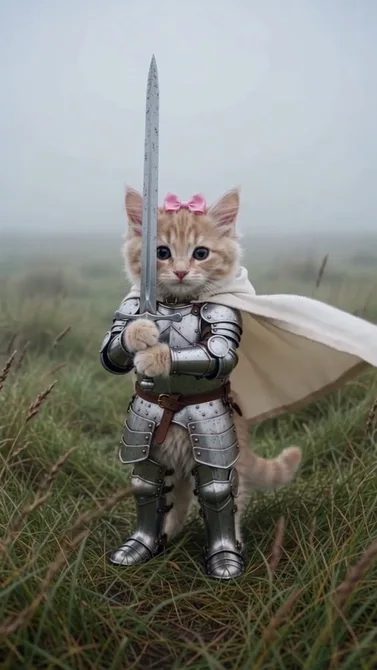
AI Cat Knight
Animate a cat photo as an armored knight, following the reveal of an oversized sword in a windswept field.
Make it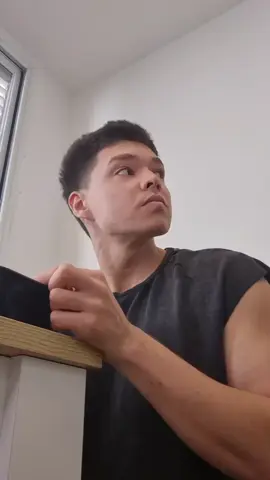
Cat Clapping AI
Recreate the cat-clapping meme with a photo, following the treat setup and the reveal of the cat clapping.
Make it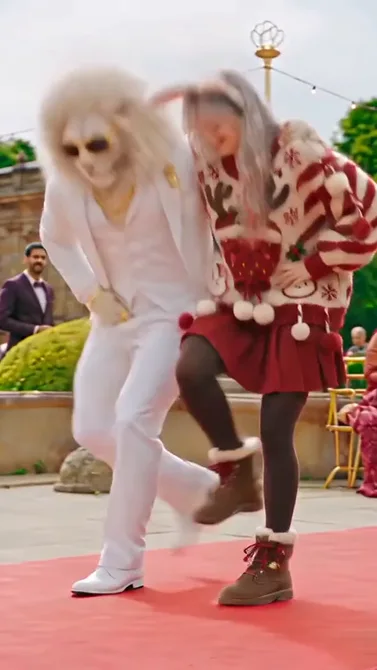
Sheru Bhai AI
Learn how to make the Sheru Bhai AI dance video from a photo. Use the lion dance template, choose a frame, and download your MP4 in four steps.
Make itWhy make this with TrendRemaker?
Recreate the motion with your own look
One photo supplies the lead performer’s face, clothing and visible accessories.
Follow the key beats
Watch how long the opening stays on the dog before showing more of the pool.
Dog Pool Party AI FAQ
What should be visible in my dog’s photo?
Keep the eyes and distinctive fur markings clear so they can guide the dog’s appearance in the video.
How many photos do I need?
Upload one photo of the lead you want to animate. When the studio offers supporting photo slots, you can add photos for those performers. The model fills roles you leave empty.
Which frame shape should I choose?
Choose 9:16 for the close-up or 16:9 to show more of the pool in the reveal.
Can I try it for free?
You can watch the reference and check the quote for free. Generating an MP4 requires signing in and using credits. Confirmed failed renders release reserved credits.
Does it use the original audio?
The reference guides the motion. The model generates a new video without the reference soundtrack.
Where can I download my result?
Open My Videos to play or download a completed MP4 within seven days.