
Hotel Lobby AI
Remake the Hotel Lobby duet from one photo. Keep your face and outfit, and follow the gestures and timing of the hanging-mic reference.
≈361K views · Up to 2 people
20 TikTok creators this week
The short answer
Start with one clear photo of the performer who takes the first turn at the microphone. The reference guides their gestures and timing, while the photo guides their appearance and outfit. The model creates a separate supporting performer.
Check the estimated credit cost in the studio. No subscription is required, and the finished MP4 is available from My Videos for seven days.
What is the Hotel Lobby AI effect?
The orange booth and hanging microphone come from Quavo and Takeoff’s 2022 performance of Hotel Lobby. Watch how the two performers alternate gestures while the camera holds both in the frame.
In TrendRemaker, your photo guides the lead performer’s face and clothes while the example guides the performance.
Looking for a Hotel Lobby AI filter?
Upload a photo in the studio to create an MP4. For a different duet, try Sheru Bhai AI.
How to make a Hotel Lobby AI video
Add your lead photo
Use a clear photo that shows your face and outfit. Add a second photo if you want to cast the duet partner.
Review the reference
Watch the two performers take turns under the hanging microphone. Note the first gesture, the handoff and the partner’s reaction.
Set quality and generate
Choose the model, resolution and frame shape. The reference sets the duration. Check the estimated cost before generating.
Download your MP4
Download the finished MP4 from My Videos within seven days of completion.
More trends to try
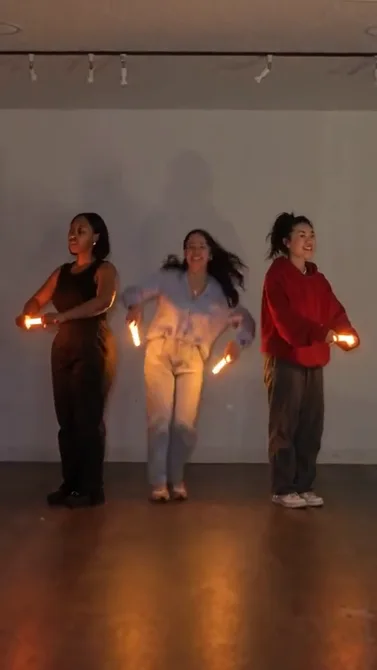
Glow Stick Dance AI
Animate a dancer from your photo and follow the trio’s synchronized glow-stick movements in low light.
Make it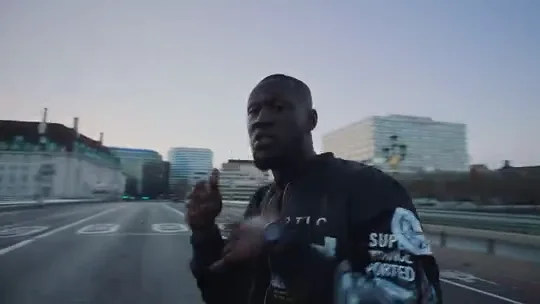
Vossi Bop AI
Use one photo to recreate a solo dance inspired by Vossi Bop, with the full-body bounce and footwork in view.
Make it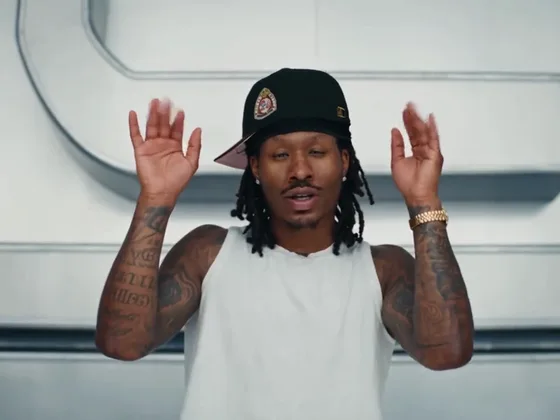
No Scrubs AI
Put yourself in the lead of a coordinated trio dance. Follow the silver-stage reference for the turns, formation and timing.
Make itWhy make this with TrendRemaker?
Cast yourself as the lead
Your photo provides the lead performer’s face, clothing and visible accessories. Cast the duet partner with a second photo or leave that slot empty.
Follow the microphone handoff
The selected reference gives the model the order and timing of both performers’ movements, from the opening stance to the last gesture.
Hotel Lobby AI FAQ
What is the Hotel Lobby AI trend?
It is a photo-to-video recreation inspired by the Hotel Lobby performance on A COLORS SHOW, with two performers alternating gestures under a hanging microphone.
Can I try Hotel Lobby AI for free?
Watching the examples and checking the credit quote is free. Creating a new video requires an account and credits. A confirmed failed render releases reserved credits.
Do I need a separate app or template?
The browser studio on this page already has Hotel Lobby selected. Upload one photo and review your quote.
Do I need two photos?
One photo is enough. Add an optional second photo to cast the duet partner. The model creates the partner when that slot is empty.
Can I make a video with a friend who is not with me?
Yes. With their permission, upload a photo of your friend for either role.
Is Hotel Lobby AI the same as the Migos AI trend?
People also use Migos AI to refer to videos inspired by this Quavo and Takeoff performance. This template focuses on the hanging microphone and the duet’s sequence of gestures.
Can I pick an orange booth or a different stage?
The orange booth is part of the reference preview. The studio uses the reference for movement and timing, and the generated video has its own setting.
Can I make a vertical or square video?
Choose 9:16 for Shorts or Reels, 1:1 to match the square reference, or 16:9 for more room around both performers.
Is this a live camera filter?
This template takes an uploaded photo and generates a downloadable video. You can watch the motion reference before choosing your photo.
Is this a face swap?
The model creates a new clip from a photo and a motion reference. The photo guides appearance, and the reference guides movement. Likeness and gestures can vary.
Can I use a celebrity photo?
Use only photos and likenesses you have permission or the necessary authority to use. TrendRemaker’s terms prohibit deceptive impersonation.
Can I use a photo of my pet?
Yes. Use a clear photo that shows the pet’s face and distinguishing markings. The model may adapt human gestures to the animal.
How do both performers share the microphone?
Watch the lead gesture first, then look for the turn and response from the second performer. The reference keeps the mic between them so both motions remain visible.
Which crop keeps the microphone and both performers visible?
The preview is square. Choose landscape for more room at the edges, or check that both faces and hands remain visible when using a vertical frame.
Does the AI keep my clothes?
The photo guides the lead performer’s clothes, colors, patterns and visible accessories. The clearer the outfit is in your photo, the more detail the model has to work with.
Which parts of the reference carry over?
The reference guides gestures, poses, their order and timing. The AI creates a new clip without the original soundtrack.
How long is the video?
This is a roughly 15-second reference. Choose the model, resolution and frame shape, then check the estimated cost before generating.